
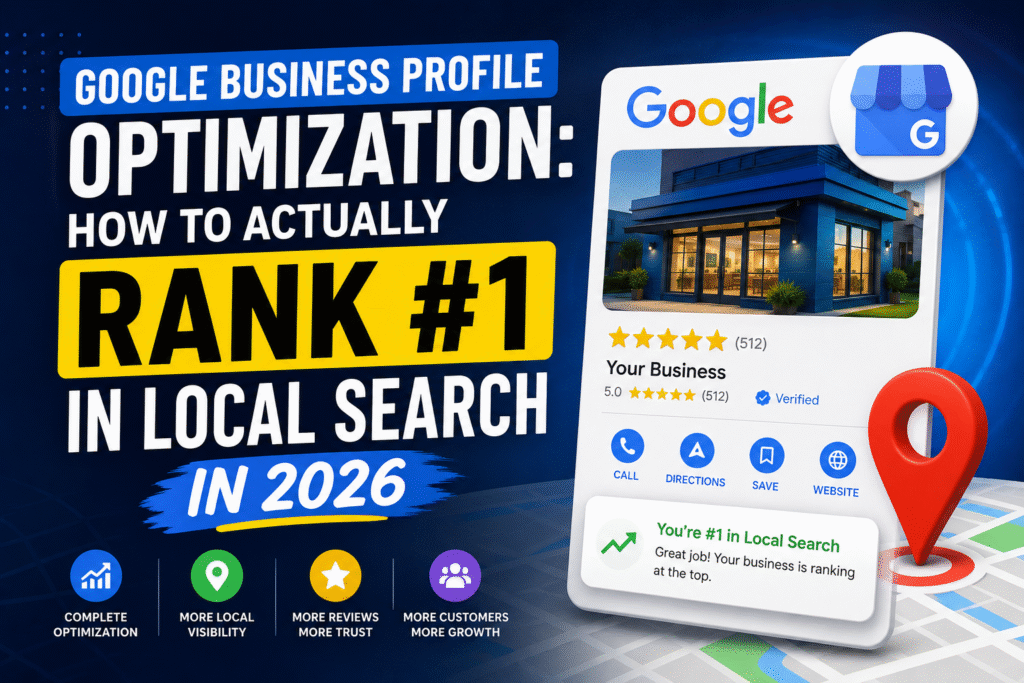

Your competitors are already on Google Maps. The question is — are you above them? This complete guide walks you through every optimization lever that moves businesses to the top of local search results in 2026.
In This Guide
What Is Google My Business (Google Business Profile)?
Google My Business — officially rebranded as Google Business Profile (GBP) — is the free tool that controls how your business appears across Google Search and Google Maps. When someone types “dentist near me” or “best pizza in Navi Mumbai,” the cluster of three business listings that appears at the top of the results page is called the Local Pack or Map Pack. That’s GBP territory.
Your Business Profile pulls together your address, phone number, hours, photos, reviews, and services — and presents them to customers at the exact moment they’re searching. Think of it as a dynamic storefront that Google curates on your behalf, and that you must actively manage to stay competitive.
To understand how the platform works under the hood, refer to Google’s official Business Profile Help documentation, which outlines eligibility requirements and profile management guidelines directly from Google.
Quick Stat
Businesses with complete Google Business Profiles receive 7× more clicks and 70% more location visits than those with incomplete profiles. (Source: Google Economic Impact Report)
Why GMB Optimization Matters in 2026
Local search behavior has fundamentally shifted. In 2026, over 76% of people who search for something nearby on their smartphone visit a related business within 24 hours. “Near me” searches have grown 900% in the past five years, and the vast majority of those searches end with a click on the Local Pack — not the organic blue links below it.
What’s changed in 2026 specifically:
- AI-powered local search: Google’s AI now summarizes business profiles conversationally in Search Generative Experience (SGE) results, pulling directly from your GBP content.
- Zero-click searches: Customers get your phone number, hours, and directions without ever visiting your website. Your GBP is your storefront.
- Review velocity: Fresh reviews from the last 90 days now carry significantly more weight than they did three years ago.
- Visual search: Google Lens integrations make your product photos and storefront images searchable assets.
The businesses that win local search in 2026 are not necessarily the biggest — they are the most consistently optimized.
Showing up #1 in the Local Pack isn’t about having the largest ad budget. It’s about giving Google every signal it needs to trust your business as the most relevant, authoritative answer for local searchers.
— Viser Digital, Local SEO Practice Lead
Local Pack Ranking Factors Explained
Google uses three core pillars to rank businesses in the Local Pack. Understanding these is the foundation of every optimization decision you make.
Ranking Signals
How Google Weighs Local Ranking Signals
Relevance
How closely your profile matches the search intent
Distance
Proximity of your business to the searcher’s location
Prominence
How well-known and reputable Google believes you are
Review Signals
Volume, recency, rating, and owner responses
On-Page SEO
Website signals reinforcing your local presence
Citations
NAP consistency across directories and listings
* Weightings based on aggregated local SEO industry studies and Viser Digital’s observed ranking correlations, 2026.
Optimization Process
Step-by-Step GMB Optimization Guide
These are the exact steps that move businesses from page 3 to the Local Pack. Work through them sequentially.
Claim & Verify Your Profile
If you haven’t already, visit google.com/business and claim your listing. Request postcard or phone verification — unverified profiles cannot rank in the Local Pack.

Foundation
Choose the Right Primary Category
Your primary category is the single most impactful field on your profile. Choose the most specific category that describes your core business. Add secondary categories for additional services.

High impact
Write a Keyword-Rich Business Description
Use all 750 characters. Lead with your most important keywords in the first 250 characters (the visible portion before “More”). Mention your city, services, and what makes you different — naturally.

Relevance signal
Complete Every Section of Your Profile
Hours, phone, website, attributes (wheelchair accessible, women-led, etc.), products, services, Q&A. Google rewards completeness. An empty field is a missed ranking signal.

Completeness
Upload High-Quality Photos Weekly
Profiles with 100+ photos get 520% more calls. Upload interior, exterior, team, product, and “at work” photos. Name your image files descriptively before uploading — e.g., “dental-clinic-navi-mumbai-reception.jpg”.
Visual signal
Claim & Verify Your Profile
If you haven’t already, visit google.com/business and claim your listing. Request postcard or phone verification — unverified profiles cannot rank in the Local Pack.
Activity signal
Claim & Verify Your Profile
If you haven’t already, visit google.com/business and claim your listing. Request postcard or phone verification — unverified profiles cannot rank in the Local Pack.
Trust signal
Claim & Verify Your Profile
If you haven’t already, visit google.com/business and claim your listing. Request postcard or phone verification — unverified profiles cannot rank in the Local Pack.
Citation signal
Claim & Verify Your Profile
If you haven’t already, visit google.com/business and claim your listing. Request postcard or phone verification — unverified profiles cannot rank in the Local Pack.
On-page SEO
How to Get More Google Reviews (Without Violating Policy)
Reviews are the most visible trust signal on your Business Profile — and one of the strongest ranking factors. Yet most businesses leave this entirely to chance. Here’s a systematic approach:
The Review Request Framework
- Timing: Ask within 24–48 hours of service completion, while satisfaction is highest.
- Channel: WhatsApp has the highest open rate in India. Send a friendly message with your direct review link (find it in your GBP dashboard under “Get more reviews”).
- Script: Keep it personal and direct: “Hi [Name], thank you for visiting [Business Name] today. If you have 60 seconds, your Google review would mean a lot to us — [link].”
- Volume targets: Aim for at least 4–6 new reviews per month to maintain review velocity.
- Never: Offer incentives for reviews, post fake reviews, or ask only loyal customers (review gating is a policy violation).
Responding to Reviews: The Right Way
Respond to every review within 48 hours. For positive reviews, thank the customer by name and mention your business name and a relevant keyword naturally. For negative reviews, apologize sincerely, address the specific issue, and offer to resolve it offline. Never argue publicly. Your response shows future customers how you handle problems — that transparency builds trust faster than a perfect 5.0 rating.
Pro Tip
Set up a Google Review Short Link (available in your GBP dashboard) and add it to your email signature, WhatsApp Business auto-reply, and printed receipts. Removing friction increases review conversion by up to 3×.
Using Google Posts to Stay Visible
Google Posts are one of the most underused features in local SEO. They appear directly on your Business Profile in search results, giving you a direct content channel to searchers — without needing them to visit your website first.
In 2026, Google Posts also influence how your business is summarized in AI-generated local search answers. An active posting cadence signals that your business is current, relevant, and engaged.
- What to post: Weekly offers, new product arrivals, event announcements, seasonal promotions, service spotlights.
- Optimal length: 150–300 words. Lead with a keyword in the first sentence.
- Always include: A compelling image (1200×900px minimum), a specific CTA (Book Now, Call Now, Learn More), and a link to the relevant page on your website.
- Frequency: Minimum once per week. Top-ranking businesses in competitive categories post 2–3 times per week.
Photos & Videos: The Silent Ranker
Most business owners upload a logo and a few blurry exterior shots and call it done. This is a significant missed opportunity. Photo quantity and quality directly correlate with profile engagement — and engagement is a ranking signal Google actively measures.
- Minimum targets: 10 exterior photos, 10 interior photos, 3 team photos, 5+ product/service photos.
- Add a cover photo and logo: These are the first visuals searchers see. Use high-resolution, brand-consistent images.
- Enable customer photo contributions: Don’t delete customer photos unless they violate guidelines — they add authenticity and volume.
- Upload 360° photos: Google Street View trusted photographers can capture virtual tours that dramatically increase profile engagement and time-on-profile.
- Add short videos: GBP accepts videos up to 30 seconds. A quick walkthrough of your space or a 15-second product demo outperforms static images in engagement.
For advanced local SEO techniques that pair with your GMB optimization, the Moz Local Search Ranking Factors study remains one of the most comprehensive annual references for understanding what the local SEO community observes moving the needle in real-world results.
Quick Reference
2026 GMB Optimization Checklist
Profile claimed and verified via Google
Correct primary category selected
All secondary categories added
750-character description with keywords
Business hours accurate and up to date
Phone number and website URL verified
Service area defined (if applicable)
Products/services listed with descriptions
25+ photos uploaded (interior, exterior, team)
At least one video uploaded
Minimum 10 Google reviews received
100% of reviews responded to
Google Post published this week
Q&A section populated with key questions
NAP consistent across all directories
Local landing page live on website
LocalBusiness schema markup on website
GBP Insights reviewed monthly
FAQ
Frequently Asked Questions
For low-competition local niches, consistent GMB optimization can show results within 4–8 weeks. In competitive categories (lawyers, dentists, real estate) in major cities, expect 3–6 months of sustained effort — profile completion, review building, and regular posting — before you see top-3 placement consistently.
Yes, creating and managing a Google Business Profile remains completely free. Google does offer paid advertising placements (Local Services Ads and Google Ads) that can appear above the organic Local Pack, but ranking organically in the Map Pack requires zero ad spend — only optimization effort.
No. Service-area businesses (plumbers, electricians, home cleaners, etc.) can hide their physical address and instead define a service area by city, region, or radius. You still need a valid address for verification, but it won't be displayed publicly.
Ranking in the Local Pack typically requires a physical presence within the city. However, you can improve visibility in surrounding areas through strong on-page local SEO, city-specific landing pages on your website, and building citations in those areas. For multi-city coverage, consider separate GBP profiles for each verified location.
Never ignore or delete negative reviews (you can only flag policy-violating ones for removal). Respond promptly, acknowledge the customer's concern, apologize sincerely, and offer to resolve it via phone or email. A well-handled negative review often builds more trust than a string of generic 5-star reviews. Future customers are watching how you respond.
NAP stands for Name, Address, and Phone — the three core identifiers of your business across the web. When these details are inconsistent across directories (e.g., "Road" on Google but "Rd." on Justdial), Google's confidence in your business information drops, which can suppress your local rankings. Audit and standardize your NAP across all platforms at least once per quarter.